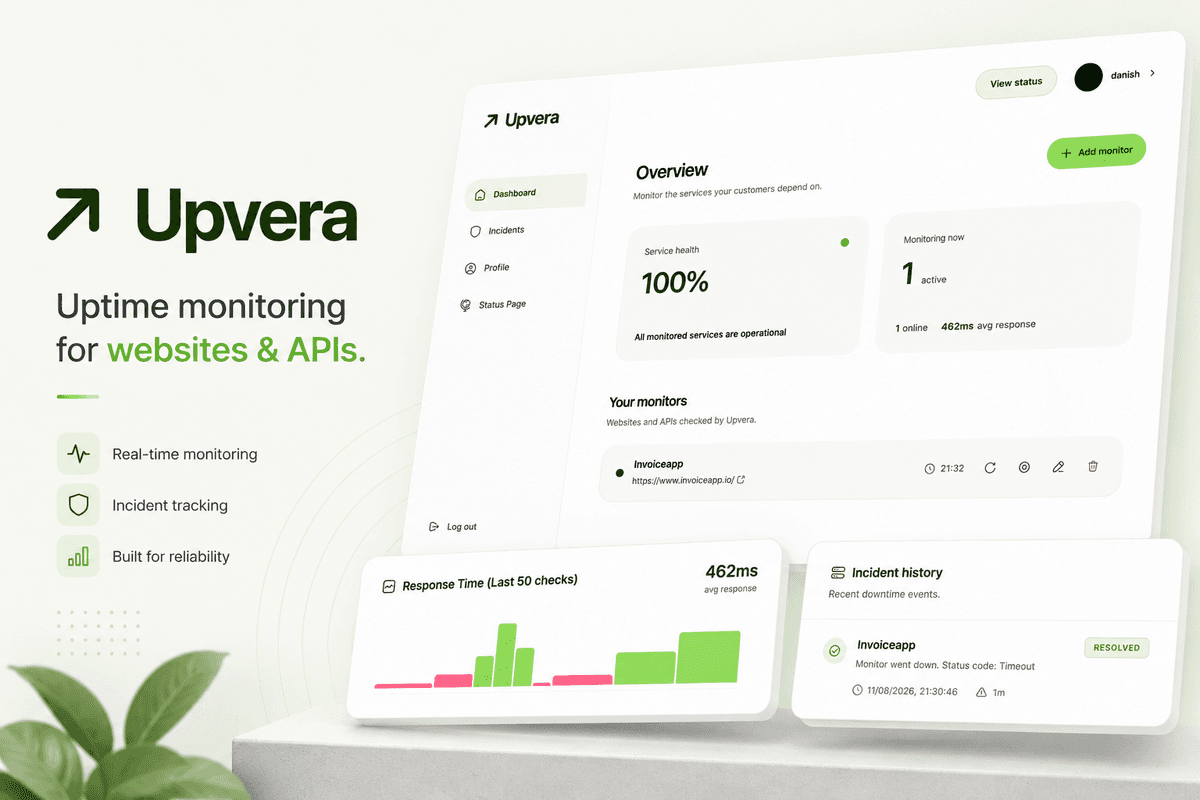
Upvera uptime monitoring dashboard

Upvera / Web App

Links

Timeline

Aug 2026

Tech Stack

Next.js 16 / React 19 / TypeScript / Tailwind CSS 4 / PostgreSQL / Prisma 7 / Neon Auth / Upstash QStash / Telegram Bot API

Overview

Upvera is an uptime monitoring dashboard for websites and HTTP APIs. Add a URL, pick a check interval, and it keeps pinging on schedule - recording response times, opening incidents when something breaks, and closing them when it comes back.

Connect Telegram and you get a message when a service goes down and another when it recovers. There is also a public status page you can share without giving anyone dashboard access.

Motivation

Most uptime tools either expect you to run a VPS 24/7, or they gate the useful features behind a paid plan. I wanted something you can actually self-host, but cheap enough to run on Vercel Hobby with Neon and QStash - no always-on server, no babysitting PM2 processes.

Goals

  • Monitor HTTP and HTTPS endpoints on a configurable schedule
  • Track uptime history and response times per monitor
  • Open and resolve incidents automatically when status changes
  • Send Telegram alerts on outage and recovery
  • Publish a read-only public status page
  • Run on serverless infrastructure without a dedicated VPS

Design objectives

  • Light-only interface built around a green visual system
  • Monitor status readable at a glance from the dashboard
  • Simple flows for adding monitors and linking Telegram
  • Consistent spacing and components using Radix primitives

Features

Monitor management

Create, edit, pause, or delete monitors. Trigger a manual check anytime from the dashboard.

Incidents

Ongoing and resolved incidents with timestamps. An incident opens on the first failed check and closes when the target responds again.

Public status pages

Each account gets a read-only page at /status/[userId] showing current uptime without exposing the dashboard.

Telegram alerts

Link your account through a signed bot URL. Outage, recovery, and test notifications land in your chat.

How it works

Vercel Hobby cron is too slow for five-minute checks, so Upstash QStash wakes the app on that cadence instead. Each run hits a protected endpoint, loads monitors that are due, checks them concurrently with a 10-second timeout, writes ping history to Neon Postgres, and sends Telegram notifications when status changes.

  • QStash calls /api/cron/check every five minutes with a bearer secret
  • Due monitors are checked in parallel against their configured interval
  • Failed checks create incidents; successful checks resolve them
  • Neon Auth handles registration, email verification, and GitHub OAuth

Colors, Themes, Fonts

BACKGROUND

SURFACE

TEXT PRIMARY

TEXT SECONDARY

BORDER

PRIMARY

PRIMARY HOVER

SUCCESS

ERROR

SPACING

Tailwind scale (4px – 64px)

RADIUS

rounded-lg and rounded-xl across cards and inputs

SHADOW

Subtle borders and soft shadows on elevated surfaces

SYSTEM UI STACK

System UI stack

HUGEICONS FOR ICONOGRAPHY

Hugeicons for iconography

12PX - COMPACT LABELS

12px - compact labels

14PX - BODY

14px - body

16PX - BASE

16px - base

18PX - SECTION TITLES

18px - section titles

24PX+ - HEADINGS

24px+ - headings

Back